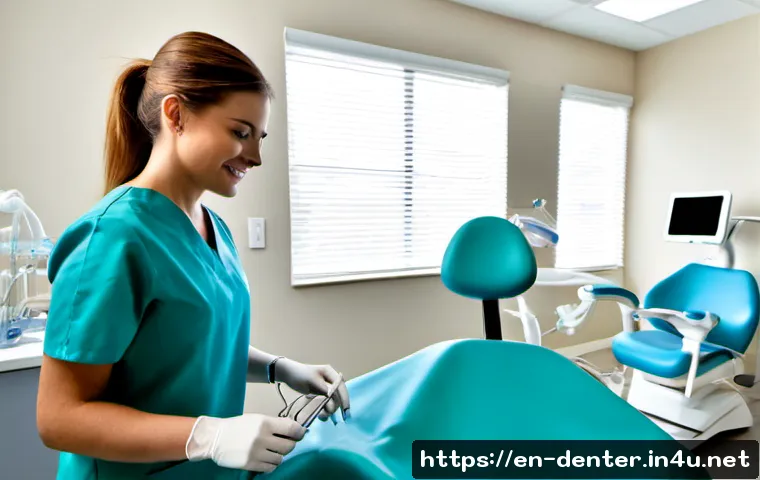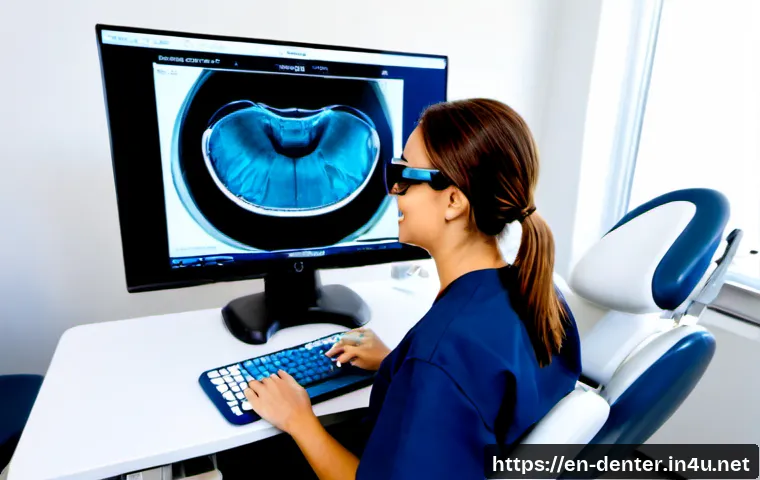
Start with core digital skills: electronic health records, periodontal charting, digital imaging workflows, and secure patient communication. Paid training is most worthwhile when it supports duties you already perform or a technology your practice is actively adopting.

Dental hygiene is becoming more connected to software, imaging, documentation, and coordinated patient workflows, but no one needs to chase every new platform.
A practical approach is to build reliable digital habits first, verify local continuing education and scope requirements, and then choose hands-on training with clear workplace relevance.
This can help hygienists discuss employer-funded training, evaluate dental software onboarding, and make more informed career development choices.
At a Glance
- Learn digital documentation, periodontal charting, imaging workflows, and privacy basics before pursuing specialized technology training.
- Choose paid continuing education or vendor training when it connects to real job duties, approved requirements, or an upcoming practice rollout.
- Use AI-supported tools as workflow support, not as a substitute for clinical judgment, supervision requirements, or documentation responsibility.
| Training option | Cost considerations | Best fit | What to verify |
|---|---|---|---|
| Employer-led onboarding | May be funded by the practice; consider whether protected learning time is provided. | A new software system, imaging tool, or updated office workflow. | Hands-on access, follow-up support, written protocols, and role-specific instruction. |
| Continuing education course | Self-funded or employer-supported; compare the full cost with workplace relevance. | Building broader knowledge in dental technology or clinical documentation. | Whether the format and course are accepted for license renewal in your jurisdiction. |
| Vendor training | May be included with a software or equipment purchase, but support terms can differ. | Learning the specific platform used by your practice. | Technical support access, training depth, privacy procedures, and ongoing maintenance. |
| Certificate program or workshop | Can require more time and personal investment than a short module. | A focused career goal or a role involving technology coordination. | Practical exercises, instructor access, CE eligibility, and relevance to permitted duties. |
What Technology Changes Mean for Dental Hygienist Careers
The practical shift: digital records, imaging, patient communication, and workflow coordination
Many dental practices use digital radiography, intraoral cameras, periodontal charting software, and electronic health records. For dental hygienists, this can mean that preventive care and patient education are increasingly connected to accurate digital documentation, image review workflows, scheduling coordination, and secure communication.
The change is not simply about learning a new screen or device. A digital workflow can affect how information is entered, reviewed, shared within the team, and explained to a patient. Strong habits around clear charting, correct patient records, and appropriate communication remain valuable regardless of which dental software a practice selects.
Why adaptable clinical judgment matters more than chasing every new tool
New technology may support imaging review, documentation tasks, or workflow coordination. It does not remove the need to work within your permitted scope of practice, employer policy, supervision requirements, and local regulations. A useful tool should make an established responsibility easier to complete safely and consistently.
Instead of buying every course or pursuing every vendor credential, ask a simpler question: Will this training help me perform a current or realistic future duty better? If the answer is unclear, it may be more sensible to monitor the technology until the workflow becomes relevant.
Three-line action summary
- Learn the core systems used in daily patient care and clinical documentation.
- Verify licensing, scope-of-practice, and continuing education requirements before paying for a course.
- Choose training tied to real duties, supported workflows, and reliable technical help.
Which Digital Skills Should Be Learned First?
Electronic health records, periodontal charting, and accurate digital documentation
Electronic health records and periodontal charting software should be a priority because they connect directly to everyday documentation. Focus on entering information accurately, recognizing when a record needs clarification, following the office’s approved workflow, and understanding who is responsible for reviewing or updating different parts of the chart.
When a practice changes templates or adds automated charting features, avoid assuming that the software will capture every clinical detail correctly. Review entries before they are finalized. If a recommended workflow conflicts with your clinical understanding or office protocol, pause and ask for clarification.
Digital imaging and intraoral camera communication with patients
Digital radiography and intraoral cameras can support patient education when used within the practice’s clinical workflow. A hygienist may need to explain what a patient is seeing in simple language while avoiding conclusions that go beyond their role or the practice’s established process.
A practical skill is being able to connect an image to a patient conversation: what is being shown, why it is being documented, and what the next step is in the office workflow. This makes technology useful without turning the conversation into a technical demonstration.
Data privacy, consent, cybersecurity awareness, and secure messaging
Technology adoption also requires data-security procedures. Hygienists should know the practice process for patient consent, secure messaging, appropriate access to records, and handling digital information. Do not treat convenience features as permission to use personal devices, unsecured channels, or informal workarounds.
Ask where the approved workflow is documented. This is especially important when a practice introduces remote coordination, patient communication software, or new cloud-based dental systems.
AI-supported tools: how to use outputs responsibly without overrelying on them
Artificial intelligence tools in dentistry may support image review and workflow tasks. Their output can be useful for discussion, organization, or follow-up within an approved process. However, AI output is not a replacement for clinical judgment, required supervision, professional licensing obligations, or documentation responsibility.
Before using an AI-supported feature, ask who reviews the result, how corrections are handled, what information is stored, and what the office expects staff to communicate to patients. Local regulatory requirements and employer policy still apply.
Compare Training Options, Cost, and Career Value
Employer-led onboarding versus self-funded continuing education
Employer-led onboarding is often the most direct option when a practice is adopting new dental software, imaging tools, or patient communication systems. It is usually tied to the exact workflow you will use. Ask whether training includes practice time, written procedures, and access to support after the initial rollout.
Self-funded continuing education can be useful when you want transferable knowledge, such as digital documentation principles or technology-related patient communication. Before enrolling, confirm whether the course format is accepted for your license renewal requirements in your jurisdiction. Requirements and accepted formats vary.
Vendor training, online modules, hands-on workshops, and certificate programs
Vendor training can be valuable because it focuses on a specific platform or device. Its main limitation is that the instruction may not cover every policy or clinical workflow used by your employer. Pair vendor instruction with the office’s own protocols for documentation, privacy, and escalation questions.
Online modules may suit foundational learning, while hands-on workshops can be more useful when a technology requires physical workflow practice. Certificate programs may make sense when they support a clear career direction, such as mentoring, quality improvement, or a technology champion role. A certificate alone does not change scope-of-practice rules or guarantee a workplace role.
When it may be reasonable to ask an employer to cover training or protected learning time
It can be reasonable to ask for employer support when training is necessary for a planned implementation, required to use a practice system safely, or expected to improve team consistency. Frame the request around the practice need: accurate documentation, patient understanding, smoother onboarding, or fewer workflow bottlenecks.
Bring a concise comparison of the training format, expected time commitment, support access, and relevance to the office’s systems. This is more useful than making a general request for “technology training.”
Build a Safe Technology-Adaptation Plan at Work
Audit the tools already used in the practice
Start with an inventory of the systems you touch during a normal day: electronic records, periodontal charting, imaging, intraoral cameras, patient communication tools, and scheduling-related workflows. Identify where errors, delays, repeated questions, or inconsistent steps tend to occur.
This audit helps separate an actual training need from a feature that may not affect your work. It also gives practice leaders a clearer view of where onboarding or technical support is needed.
Create a 30-, 60-, and 90-day learning plan
In the first 30 days, focus on daily essentials: log-in procedures, chart navigation, approved documentation steps, and privacy practices. By 60 days, practice using the system efficiently while recognizing when to ask for help or follow a backup procedure. By 90 days, identify one workflow improvement, such as a clearer image explanation process or a more consistent charting routine.
The goal is not speed at the expense of accuracy. The goal is consistent, safe use that fits the practice workflow.
Prevent documentation errors, privacy lapses, and workflow bottlenecks

Common risks during a technology transition include entering information in the wrong patient record, relying on incomplete automated text, using unapproved communication methods, or assuming everyone received the same training. Reduce these risks through checklists, role-specific instruction, and a clear path for reporting problems.
It is also helpful to clarify who handles software problems, who updates protocols, and how the team documents corrections. Ongoing maintenance and support matter as much as the initial implementation.
Ask for protocols when software recommendations conflict with clinical judgment
If a software feature suggests a workflow that seems inconsistent with the clinical situation or office policy, do not improvise. Ask for the approved protocol and involve the appropriate supervising or clinical decision-maker. Technology should support a safe workflow, not pressure staff to bypass professional responsibilities.
Choose a Path Based on Your Work Setting
Private practices: patient education, scheduling integration, and efficient charting
In a private practice, useful priorities may include efficient charting, image-based patient communication, and coordination with the appointment schedule. Training that improves the quality of explanations and reduces repeated documentation steps may have clear day-to-day value.
Multi-location groups: standardized workflows, dashboards, and system-wide training
Multi-location groups may place more emphasis on standardized workflows and system-wide training. In this setting, the ability to follow shared protocols, document consistently, and help colleagues adapt to updates can be especially valuable. Confirm that local office procedures match broader organizational guidance.
Public health, mobile care, and community settings: remote coordination and access limitations
Public health, mobile care, and community settings may involve additional coordination challenges. Remote communication tools can support planning and follow-up, but access limitations, privacy procedures, and local requirements should be considered before relying on a digital workflow.
Career advancement: mentoring, quality improvement, and technology champion roles
Technology skills can support career growth when paired with dependable clinical and communication skills. Hygienists who can mentor teammates, identify workflow gaps, or help test a new process may be well positioned for quality improvement or technology champion responsibilities. These roles should still be defined by the employer and remain within applicable professional requirements.
Choosing Training and Technology Support: A Decision Checklist
Confirm scope-of-practice and license-renewal relevance before paying
Before paying for continuing education, vendor training, or a certificate program, confirm whether it is relevant to your role and whether the course format may be accepted in your licensing jurisdiction. Scope-of-practice rules, supervision requirements, and accepted CE formats can vary by state, jurisdiction, and employer policy.
Compare total cost, instructor access, technical support, and hands-on practice
Compare more than the course price. Consider whether you will have instructor access, practical exercises, workplace support, and ongoing help after training. For dental software and equipment training, the quality of onboarding and technical support can affect whether the skill is usable in daily practice.
Prioritize tools that improve documentation quality, patient understanding, or team efficiency
A technology investment is easier to justify when it addresses a real workflow need. Look for a direct connection to more accurate documentation, clearer patient communication, secure coordination, or a smoother team process. Avoid treating novelty as a career strategy.
Final comparison: invest now, request employer support, or monitor until the workflow is relevant
Invest now when the training supports your active responsibilities and requirements are verified. Request employer support when the practice is adopting the system or expects you to use it. Monitor the option when the technology is not part of your setting, the support details are unclear, or the career value is uncertain.
Selection Criteria and Comparison Summary
Before choosing dental technology training or software support, check these points: workplace relevance, scope-of-practice alignment, possible CE eligibility, total time and cost, access to hands-on practice, and the availability of technical support after onboarding. Compare course eligibility, total cost, support access, and workplace relevance before committing. For a specific course, platform, or equipment package, review the official details and ask your employer or licensing authority which requirements apply.
In Closing
Technology can make dental hygiene workflows more connected, but it does not change the importance of careful documentation, patient communication, infection control, and professional judgment. Start with the tools used in your current setting. Build confidence through structured practice and clear protocols. Then choose continuing education, vendor training, or certificate programs based on verified requirements and practical career value.
Useful Information to Keep in Mind
1. Digital tools can support workflow tasks, but clinical responsibility still applies.
2. A course may be useful without necessarily being accepted for license renewal; verify first.
3. Employer onboarding should include more than a one-time demonstration when daily workflows are changing.
4. Privacy, consent, and secure communication procedures should be part of every technology rollout.
Important Considerations
Technology adoption, pricing, support quality, privacy protections, accuracy, and return on investment can differ by provider and practice. No course, certificate, AI feature, scanner, or software tool can replace local licensing obligations, permitted scope of practice, clinical judgment, employer policy, or required supervision. Confirm requirements with the appropriate licensing jurisdiction and your workplace before relying on a training decision.
Frequently Asked Questions
Q1. What technology skills are most valuable for dental hygienists to learn first?
A1. Start with electronic health records, periodontal charting, accurate digital documentation, digital imaging workflows, patient communication using approved tools, and privacy awareness. These skills connect directly to common responsibilities in many dental practices.
Q2. Is paid dental technology training worth the cost for a dental hygienist?
A2. It may be worth the cost when the training supports your actual duties, a planned workplace rollout, or a clearly relevant career goal. Compare CE eligibility, hands-on practice, instructor access, technical support, total cost, and whether employer funding or protected learning time is available.
Q3. Can AI tools replace a dental hygienist’s clinical judgment or documentation responsibilities?
A3. No. AI-supported tools may assist with image review or workflow tasks, but they do not replace clinical judgment, documentation responsibility, required supervision, licensing obligations, or local regulatory requirements.